Cat Laser Engrave File: A Versatile Tool for Creative Projects
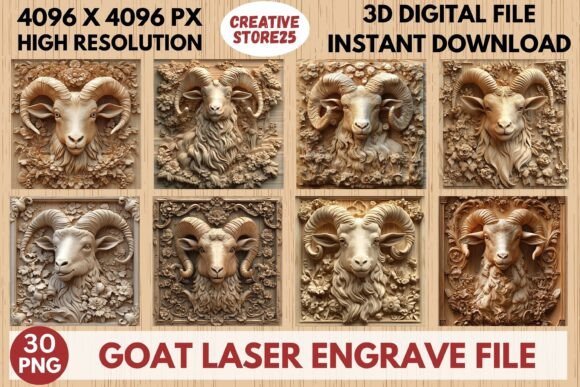
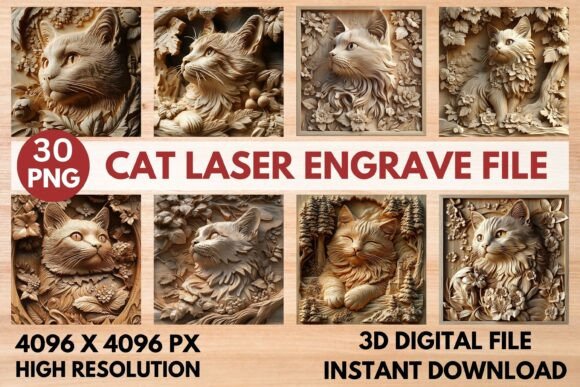
The Cat Laser Engrave File is a high-resolution PNG design specifically created for laser engraving applications. This file set includes 15 coloring and 15 grayscale images, each at 4096×4096 pixels, ensuring sharp and detailed results when used with laser machines. Whether you're working on home décor, wood projects, stationery, or fashion, this design offers a professional-grade solution that can be adapted to various creative needs.
Designed with laser engraving in mind, the Cat Laser Engrave File is ideal for users who want to enhance their projects with intricate details. The transparent background and high-resolution quality make it suitable for a wide range of materials, including wood, paper, and fabric. These files are optimized for popular laser engraving software such as LightBurn, Glowforge, and xTool, making them accessible to both beginners and experienced users.
Understanding the Role of Cat Laser Engrave File in Your Workflow
The Cat Laser Engrave File fits seamlessly into a broader creative process, serving as a key component in the planning and execution phases of your projects. Before starting a project, these files can help you visualize the final outcome, allowing for better decision-making and resource allocation. During the project, they provide a consistent and reliable source of design elements that can be easily integrated into your workflow.
After completing a project, the Cat Laser Engrave File can also serve as a reference for future work. By maintaining a library of such files, you can streamline the design process and reduce the time spent on creating new graphics from scratch. This makes the Cat Laser Engrave File an essential asset for anyone looking to improve efficiency and consistency in their creative output.
Integration with Other Tools and Resources
The Cat Laser Engrave File works well with other tools and resources commonly used in laser engraving. For example, when paired with software like LightBurn, the grayscale PNGs can be adjusted to achieve optimal burning accuracy. Using the Jarvis filter for dithering ensures that the details remain sharp and clear, even when working with complex designs.
In addition to software, the Cat Laser Engrave File can be combined with different materials and techniques. For instance, using lighter wood can enhance the visibility of engraved details, while proper calibration of your laser machine ensures that the design is transferred accurately. These interactions highlight the importance of understanding how the Cat Laser Engrave File integrates with your existing tools and processes.
Practical Implementation Tips
To get the most out of the Cat Laser Engrave File, consider the following practical tips. First, ensure that your laser machine and software are compatible with the file format. While the files are optimized for most devices, checking compatibility beforehand can prevent unnecessary delays and adjustments.
Next, take advantage of the high-resolution quality by avoiding unnecessary resizing. If resizing is required, do so carefully to maintain the clarity of the design. Also, remember that the files are not editable, so any modifications should be made before downloading the final version.
When using the Glowforge, follow the recommended settings: speed 1000, power 90, grayscale with varying power, max quality 5, LPI 270, one pass, no masking, and lighter wood for best results. For LightBurn, use the dithered Jarvis filter for improved accuracy. These settings can significantly impact the quality of the final engraving, so it's worth experimenting to find what works best for your specific machine and material.
Workflow Examples and Use Cases
The versatility of the Cat Laser Engrave File allows it to be used in a variety of workflows. For example, if you're creating custom wooden signs, you can use the grayscale PNGs to add detailed cat illustrations that stand out against the natural grain of the wood. Similarly, for textile projects, the transparent background makes it easy to incorporate the design into clothing prints without unwanted outlines.
In stationery and packaging, the high-resolution quality ensures that even small details are visible, adding a touch of professionalism to your products. For home décor, the Cat Laser Engrave File can be used to personalize items like picture frames, coasters, and decorative panels, giving each piece a unique and personalized look.
Factors to Consider for Long-Term Use
When considering the long-term use of the Cat Laser Engrave File, several factors come into play. Preparation is key—organizing your files and keeping them easily accessible can save time and reduce frustration. Compatibility with your laser machine and software should also be reviewed periodically, as updates may affect how the files perform.
Usability is another important factor. The non-editable nature of the files means that you need to plan ahead and make any necessary adjustments before downloading. Consistency in quality control is also essential, especially if you're using the files for commercial purposes. Regularly testing the engraving process on different materials can help ensure that the results meet your standards.
Finally, efficiency and organization should be prioritized. By integrating the Cat Laser Engrave File into your workflow in a structured way, you can maximize its benefits and minimize potential issues. This approach not only improves productivity but also enhances the overall quality of your creative output.