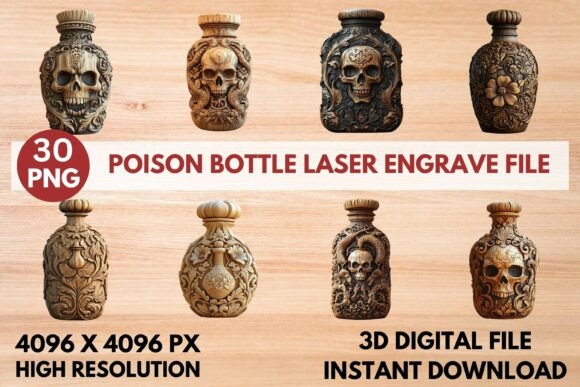
Ghost Laser Engrave File: A Spooky Solution for Creative Projects
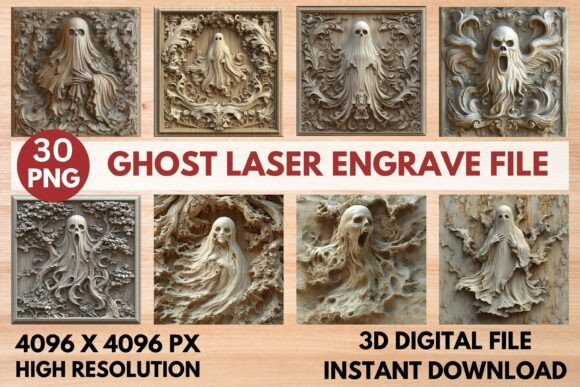
If you're a crafter, maker, or engraving enthusiast looking to add a unique and spooky touch to your projects, the Ghost Laser Engrave File is an excellent resource. This high-resolution grayscale PNG design is tailored for laser engraving machines like Glowforge, xTool, Sculpfun, LightBurn, and CO₂ Laser Cutting Machines. With its intricate details and professional-grade quality, this file set offers a versatile solution for a wide range of creative applications.
The Ghost Laser Engrave File includes 15 coloring PNGs and 15 grayscale PNGs, all at 4096x4096 resolution. These files are optimized for laser engraving, ensuring sharp and precise results that bring your designs to life. The transparent background allows for seamless integration into various materials, making it ideal for home décor, wood crafts, stationery, textile printing, tableware, fashion prints, paper goods, and packaging.
Understanding the Challenges of Laser Engraving
Laser engraving can be a complex process, especially when working with intricate designs. Many users face challenges such as achieving consistent depth, maintaining detail clarity, and ensuring compatibility with different machine settings. Additionally, selecting the right file format and understanding how to optimize it for specific engraving tasks can be overwhelming for beginners.
For those new to laser engraving, navigating the settings on machines like Glowforge or LightBurn can be daunting. Without the proper guidance, it's easy to end up with subpar results that don't meet expectations. Moreover, finding high-quality designs that are both visually appealing and technically suitable for engraving can be time-consuming and frustrating.
How Ghost Laser Engrave File Can Help
The Ghost Laser Engrave File addresses these challenges by providing a ready-to-use design that is already optimized for laser engraving. Its grayscale format ensures that the engraving machine can interpret the design accurately, producing consistent and detailed results. The file is non-editable but resizable, allowing you to adapt it to different project sizes without compromising quality.
One of the key benefits of this file set is its compatibility with popular laser engraving software. For instance, Glowforge users can take advantage of recommended settings such as speed 1000, power 90, grayscale, and max quality 5. These settings ensure that the ghost design is engraved with precision and clarity. Similarly, LightBurn users can benefit from dithered settings using the Jarvis filter, which enhances the visual appeal of the grayscale PNG.
The Ghost Laser Engrave File also eliminates the need for masking, simplifying the engraving process. It works best on lighter wood, making it ideal for creating decorative pieces that stand out. Whether you're crafting personalized gifts, custom signage, or unique home décor, this file set provides a reliable foundation for your projects.
Practical Applications and Outcomes
The versatility of the Ghost Laser Engrave File makes it suitable for a wide range of applications. For example, wood crafts enthusiasts can use it to create detailed ghost-themed decorations for Halloween or seasonal displays. Stationery designers can incorporate the design into custom notebooks, greeting cards, or packaging, adding a touch of mystery and intrigue.
In the realm of textile printing, the Ghost Laser Engrave File can be used to create unique patterns on fabric, making it perfect for fashion prints or custom apparel. Tableware designers can engrave the ghost image onto mugs, plates, or cutting boards, offering a distinctive and memorable product. Paper goods and packaging designers can also leverage this file to add a spooky twist to invitations, brochures, or promotional materials.
For engraving enthusiasts, the Ghost Laser Engrave File offers a creative outlet to explore different materials and techniques. Whether you're working with wood, acrylic, or metal, the high-resolution grayscale PNG ensures that the design remains sharp and detailed. This makes it an ideal choice for both hobbyists and professionals looking to expand their portfolio.
Considerations and Recommendations
While the Ghost Laser Engrave File is a powerful tool, it's important to consider a few factors before starting your project. First, ensure that your laser engraving machine is compatible with PNG files. Most modern machines support this format, but it's always a good idea to double-check your machine's specifications.
Additionally, pay attention to the material you're engraving. The Ghost Laser Engrave File works best on lighter wood, so if you're using a darker or more porous material, you may need to adjust your settings accordingly. Testing the design on a small sample piece before proceeding with larger projects can help you achieve the desired results.
Another consideration is the size of the design. Since the file is resizable, you can scale it to fit your project needs. However, keep in mind that resizing too much may affect the clarity of the design. It's best to work within the original dimensions whenever possible to maintain the highest level of detail.
Customizing Your Approach
Every user may approach the Ghost Laser Engrave File differently based on their specific goals and preferences. For instance, a craftsperson focused on creating personalized gifts might prioritize the design's aesthetic appeal, while a commercial designer may focus on scalability and consistency across multiple products.
Some users may choose to combine the Ghost Laser Engrave File with other design elements to create a more complex look. Others may prefer to use it as a standalone piece, focusing on its simplicity and elegance. Regardless of your approach, the Ghost Laser Engrave File provides a solid foundation that can be adapted to suit a variety of creative visions.
By leveraging the Ghost Laser Engrave File, you can streamline your workflow and achieve professional-grade results with ease. Whether you're a seasoned engraver or just starting out, this file set offers a practical and effective solution for bringing your spooky designs to life.